How to Create a Workout Plan from YouTube Videos (Step by Step)
YouTube has more workouts than anyone could finish. A simple system turns the videos you save into a weekly plan you can actually follow.
YouTube is the world's largest fitness library. It has millions of free HIIT, strength, yoga, basketball, and MMA workouts—but watching videos is not the same thing as following a plan.
The familiar pattern is to scroll for ten minutes, choose a workout, finish it, and then start from zero tomorrow. A structured youtube workout plan changes that. It tells you what to train, when to train it, and how each session fits into the rest of your week.
You do not need a personal trainer to make this work. You need a clear goal, a realistic schedule, a small video library, and a way to review what happened. This guide walks through how to build your custom youtube workout plan step by step.
Define your goal for your youtube workout plan
Every good youtube workout plan starts with a clear goal. Your goal determines the videos you choose, the number of days you train, and how hard you push. Pick the outcome that matters most right now; you can change it later.
| Goal | What it means | Best video types |
|---|---|---|
| Build Muscle | Get stronger and increase size | Strength training, hypertrophy, PPL splits |
| Lose Weight | Burn fat and improve conditioning | HIIT, circuit training, cardio + strength |
| Improve Skill | Improve a sport or movement | Drills, agility, dance, martial arts |
| General Fitness | Stay active and feel good | Strength, cardio, and flexibility |
Do not overthink the decision. A plan can serve more than one purpose, but one priority keeps the week coherent. General fitness is a useful choice when you want a balanced starting point without specializing yet.
Decide how many days to include in your youtube workout plan
Be honest here. A six-day plan abandoned after eight days is less valuable than a three-day plan you keep for eight months. Start with the smallest schedule that you can protect during an ordinary week.
| Days/week | Who it suits | Example split |
|---|---|---|
| 2–3 | Beginners or busy schedules | Full body each session |
| 3–4 | Most people | Push/pull/legs or upper/lower |
| 4–5 | Intermediate and consistent | PPL plus an accessory day |
| 5–6 | Advanced and dedicated | Body-part split |
Rule of thumb: start with three days. Hit all three consistently for a month, then consider a fourth.
Consistency beats ambition because it creates enough repeat sessions to improve. It also leaves room for work, travel, recovery, and the missed day that inevitably happens sometimes.
Find videos that match your youtube workout plan
Now build a small, useful video library. Search YouTube using your goal and the equipment you have rather than vague terms such as “workout.” Specific searches produce sessions you can place in a schedule.
Muscle building
full body dumbbell workout 30 minutes push day dumbbell workout leg day at home no equipment
Weight loss
20 minute HIIT workout no equipment full body cardio workout at home tabata workout for fat loss
Skill improvement
basketball shooting drills at home soccer footwork drills MMA conditioning workout
Filtering tip: when you find a good workout, inspect the channel too. A reliable channel with many sessions at your level gives you a library that grows naturally. Subscribe to three to five channels, then save videos as you find them.
For a three-day routine, begin with one video per session. Keep 12 to 15 saved options so you can rotate workouts while preserving the same weekly structure.
Map videos to days for your youtube workout plan
This is where your video collection becomes a structured youtube workout plan. Use a spreadsheet, notes app, calendar, or TrainFlow routine to assign each video a specific place in the week.
| Day | Focus | Video | Duration |
|---|---|---|---|
| Monday | Push: chest, shoulders, triceps | Saved push workout | 30 min |
| Wednesday | Pull: back and biceps | Saved pull workout | 25 min |
| Friday | Legs and core | Saved legs workout | 35 min |
The key principle is simple: do not train the same muscle group hard on consecutive days. After a push session, choose pull, legs, easy cardio, or rest before pushing again. With full-body videos, vary the emphasis, duration, or intensity across your three sessions.
Skill athletes can alternate skill and conditioning: shooting drills on Monday, speed and agility on Wednesday, and ball handling on Friday. This keeps technical practice fresh while building the physical capacity that supports it.
Add structure to every video in your youtube workout plan
Do not just press play and hope. Before you train, note the session's shape. Most workout videos include a warm-up, a main block with several exercises or rounds, and a short cool-down.
30 Min Full Body Dumbbell Workout
0:00–3:30   Warm-up
3:30–8:00   Goblet squats + shoulder press
8:00–12:30  RDLs + bent-over rows
12:30–17:00 Lunges + bicep curls
17:00–21:30 Push-ups + tricep extensions
21:30–26:00 Core finisher
26:00–30:00 Cool-down stretch
If timestamps are missing from the description, scrub through once and make your own. Knowing the structure helps you work deliberately during the hard blocks, recover during transitions, and avoid losing attention while deciding what comes next.
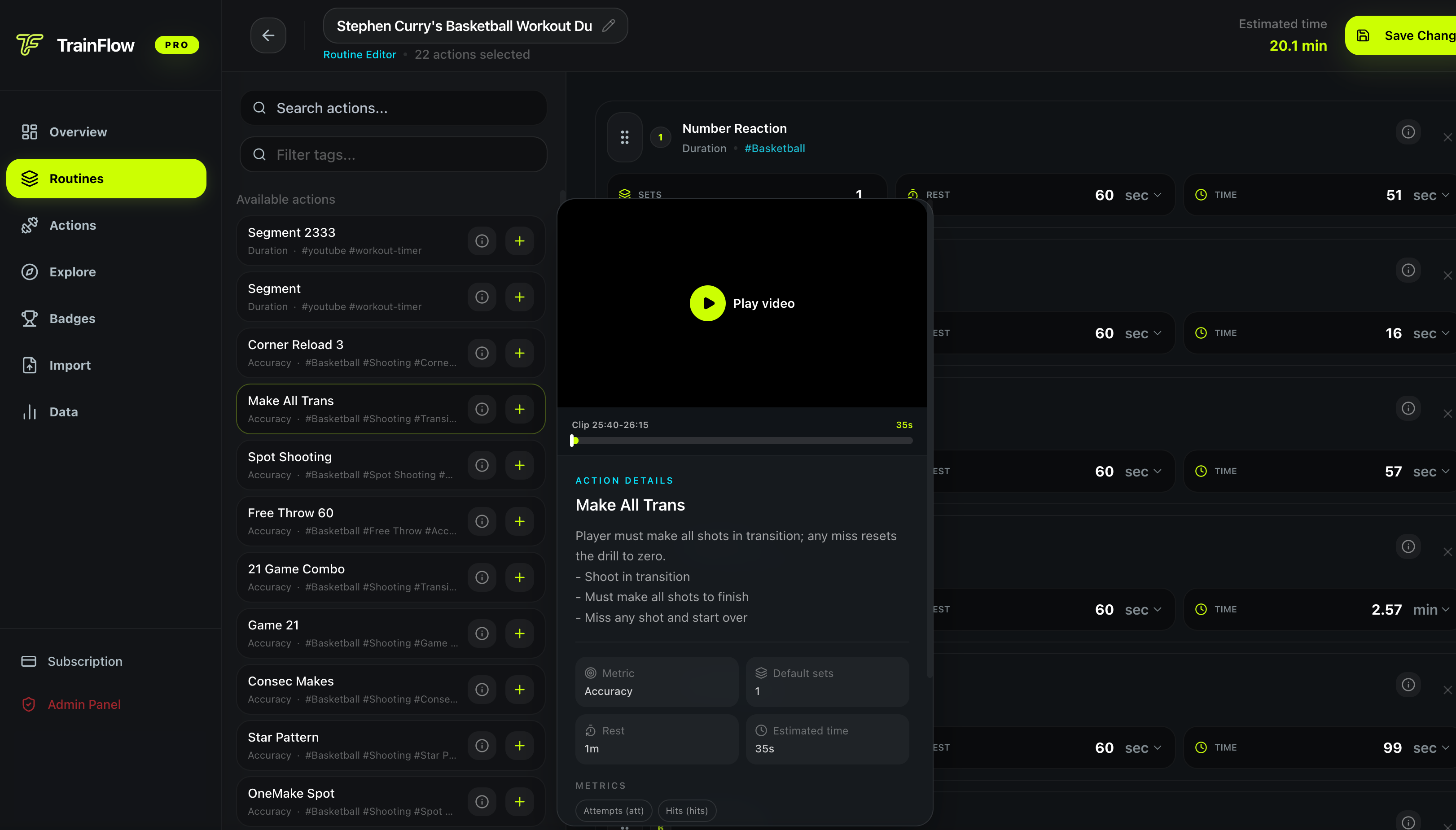
With TrainFlow's workout video organizer, you can save useful video segments as structured actions instead of repeatedly hunting for the same minute in a long video.
Track and progress
A youtube workout plan without a tracking record is easy to mistake for entertainment. Spend five minutes each week reviewing what actually happened:
- Did you complete the sessions? If not, adjust the target days or session length.
- Were the videos too easy or too hard? Keep the useful ones and replace the rest.
- Did one measurable thing improve? Track a dumbbell weight, a number of rounds, a rep count, or the rest you needed.
If a video uses timed intervals or numbered rounds, record how many you finished with good form. Next week, try to add one clean round, one repetition, or a small amount of load. Tiny, repeatable progress is the entire point of keeping the same youtube workout plan.
Automate the first four steps
Defining a goal, choosing a schedule, finding videos, and mapping the week works—but rebuilding that structure manually can take 30 to 45 minutes. The free Workout Plan Generator creates your weekly youtube workout plan in seconds. Choose your goal, equipment, days per week, and session length, then adjust the output around your favorite videos.
Want to use those videos with more precision? TrainFlow lets you turn them into reusable actions, mark useful timestamps, tag them by training type, and follow a routine on your phone. That is especially useful for basketball, soccer, and MMA: you are no longer just watching drills; you are timing them, tracking reps, and building a training library.
Start simple: one goal, three sessions, and a reliable youtube workout plan you can repeat next week.
Common questions about YouTube workout plans
Can I really build muscle with just YouTube videos?
Yes—if you follow a structured plan with progressive overload. The video is your coach; the plan is what makes you show up consistently and compare your performance over time.
How many YouTube videos do I need for one week?
Three days with one video per session is enough to begin. Collect 12 to 15 videos over time so you can rotate sessions and avoid repeating the same workout too often.
What if I do not have any equipment?
Search for no-equipment or bodyweight versions of the workout you want. YouTube has thousands of bodyweight strength, conditioning, mobility, and skill-training videos.
How often should I change my plan?
Keep the same basic plan for four to six weeks before making large changes. Consistency gives your body time to adapt and gives you enough repeat sessions to see progress.
Is the Workout Plan Generator free?
Yes. TrainFlow's Workout Plan Generator is free to use and does not require sign-up. Choose a goal, equipment, weekly frequency, and session length to create a weekly plan.